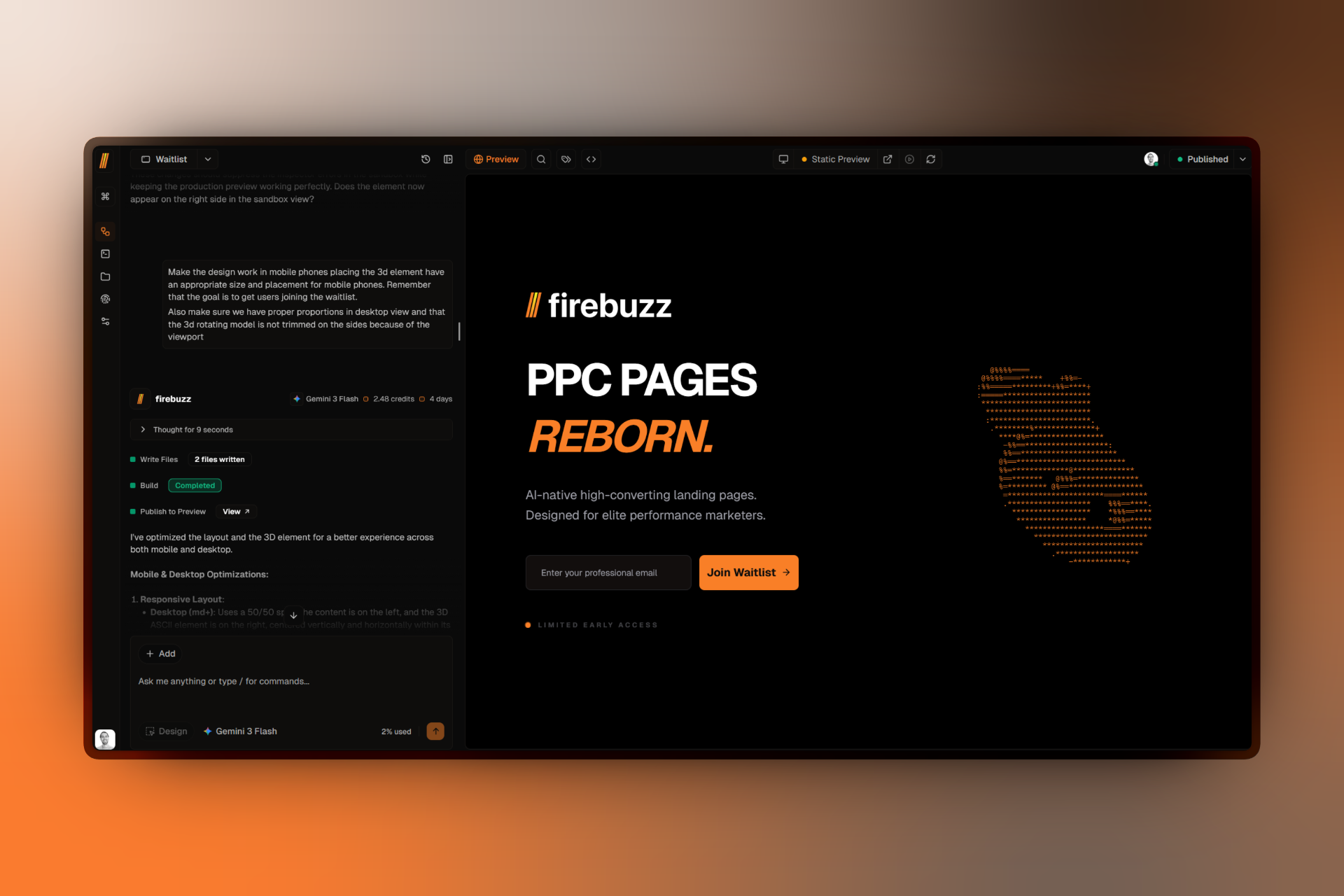
Changelog

Latest updates, features, and improvements to the Firebuzz platform.

February 19, 2026
v1.5.0

Commerce, Attribution, and Human-in-the-Loop Automation

This release wave delivered native Stripe commerce workflows, server-side attribution infrastructure, stronger security controls, and safer HITL agent execution.
Commerce, Attribution, and Human-in-the-Loop Automation

Mid-February focused on turning Firebuzz into a more complete revenue execution platform by connecting payments, attribution, and controlled AI-assisted automation.

Native Commerce Workflows with Stripe and Revenue Visibility

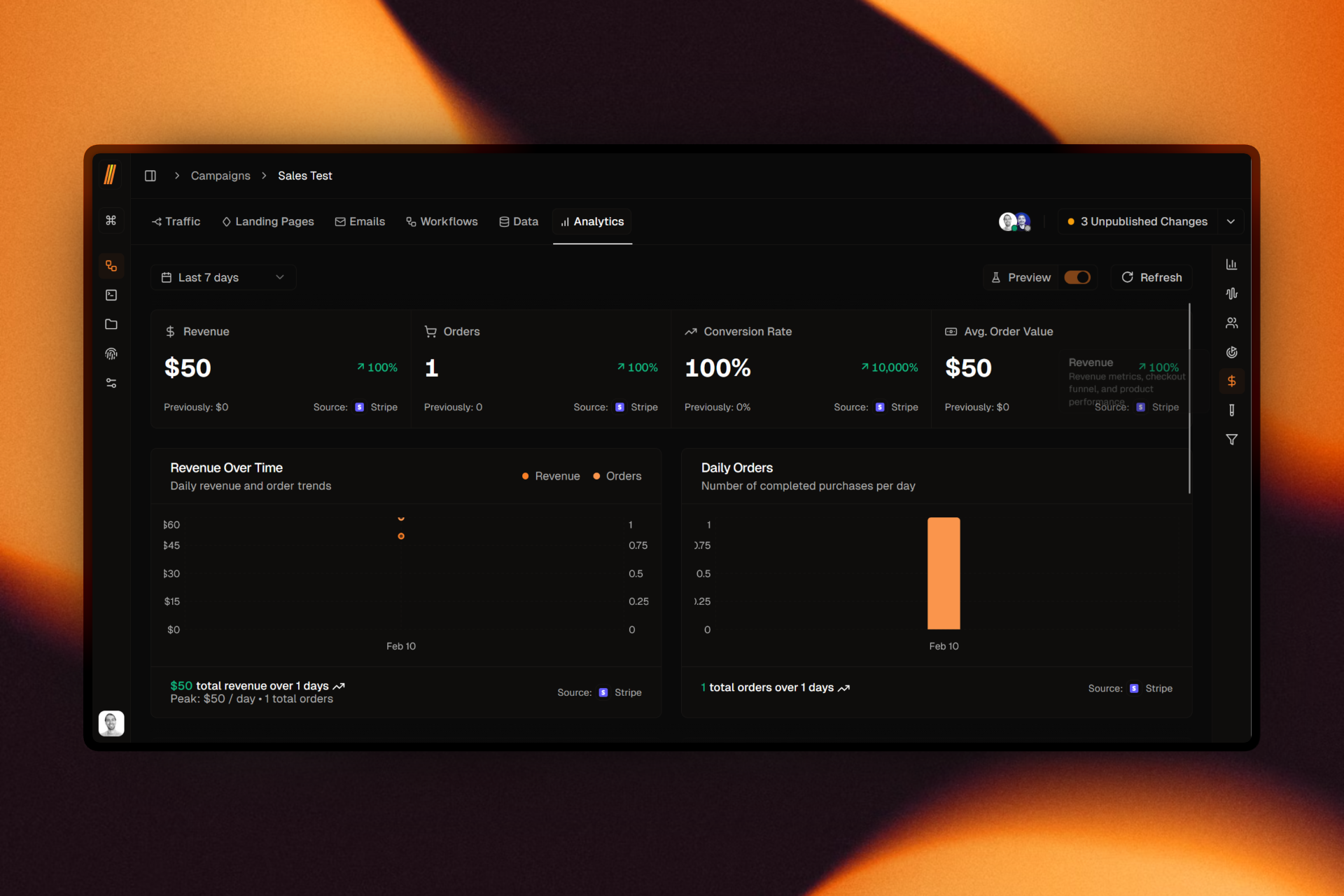
Firebuzz now includes deep Stripe workflow support, campaign-level payment configuration, checkout infrastructure, and dedicated revenue analytics views. Teams can orchestrate payment-linked customer journeys without rebuilding commerce plumbing outside the platform.

This release also reinforced the underlying execution stack for higher-volume real-time operation.

Attribution Infrastructure for Meta and Google Ads

We introduced a full CAPI-focused pipeline with improved conversion mapping and attribution context handling. Form tracking also moved further server-side, reducing dependency on fragile client-side event implementations and improving event consistency across campaign flows.

With stronger attribution primitives, teams can connect campaign activity to outcomes with better signal quality.

Where to find it

  • Revenue analytics: Campaign -> Analytics -> Revenue (/campaigns/[id]/analytics)
  • Attribution mapping: campaign flow panel conversion mappings dialog
  • HITL interactions: campaign and workflow agent tool cards in chat panels

Human-in-the-Loop Agent Control and Safer AI Execution

HITL tools were upgraded so agent flows can pause, collect structured user input, and resume in-context with less conversation noise. Campaign-level workflow agent capabilities also expanded with direct-apply and validation improvements, tightening the loop from suggestion to execution.

On the model side, Gemini 3.1 Pro Preview replaced Gemini 3 Pro Preview with backward compatibility, alongside reliability fixes for multi-turn tool-call flows and safer tool error handling in UI.

What this unlocks in practice

  • Commerce and automation can be managed together instead of split across disconnected tools.
  • Attribution quality improves with stronger server-side event handling and mapping workflows.
  • HITL flows let teams keep approval and control loops while still benefiting from fast agent execution.

What this unlocks

You can now run closer-to-revenue campaign automations with stronger attribution signal and tighter human control over AI-driven changes.

Highlights

  • Stripe commerce integration with workflow actions, checkout infrastructure, and revenue analytics surfaces.
  • Security-hardening wave aligned with stricter production requirements.
  • Server-side form tracking and improved conversion-attribution pipeline for ad platforms.
  • HITL workflow enhancements for structured clarification and next-step decisions.
  • Campaign agent improvements for direct workflow changes and inline validation.
  • Gemini 3.1 Pro Preview rollout with improved multi-turn tool-call reliability.
February 7, 2026
v1.4.0

AI Agents and Integration Acceleration

We launched specialized AI agents, expanded integrations across CRM and productivity stacks, and upgraded domain infrastructure for complex deployment scenarios.

AI Agents and Integration Acceleration

Early February introduced one of the fastest expansion cycles in Firebuzz history, centered on operational AI agents and a broad integration rollout designed for execution-focused marketing teams.

Three Specialized AI Agents for Campaign Operations

Firebuzz introduced dedicated Data, Campaign, and Workflow agents with tooling tailored to each operational area. Teams can now inspect campaign context, propose and apply workflow changes, and work with schema, runs, and validation flows through focused agent experiences.

This release also advanced agent interaction patterns with clarification workflows and cleaner tool UX, improving control during multi-step automation edits.

Rapid Integration Expansion Across CRM, Outreach, and Productivity

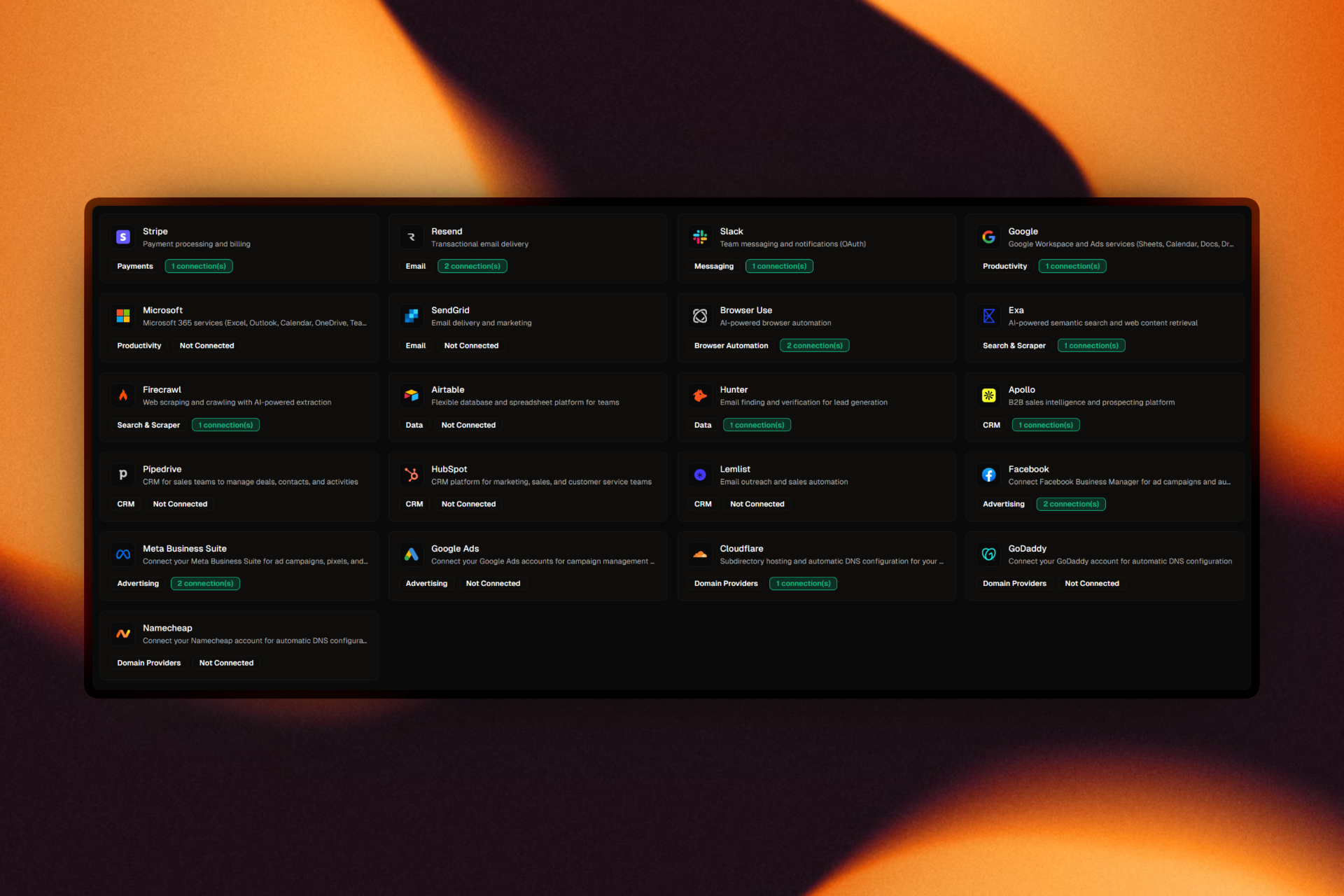
The platform added major integration coverage across sales and execution stacks, including Airtable, Hunter.io, Apollo.io, Pipedrive, HubSpot, Google suite products, Microsoft suite products, SendGrid, and Lemlist.

This moved workflows from isolated automations to practical cross-system operations, enabling lead routing, outreach actions, data sync, and campaign follow-up in a single graph.

Where to find it

  • Integrations hub: Settings -> Integrations (/settings/integrations)
  • Agent-assisted workflow editing: Campaign -> Workflows agent panel
  • Domain deployment tools: Brand -> Domains (/brand/domains)

Domain Infrastructure for Scaled Deployment

Domain and hosting capabilities expanded with subdirectory hosting, provider-aware DNS automation, and A-record proxy support for apex domain scenarios. Teams can configure and deploy more complex routing setups while preserving a unified operational workflow in the product.

These capabilities reduce setup friction for agencies and multi-brand teams managing diverse domain environments.

User-first impact

  • Teams can connect existing systems quickly and keep operations in one workflow graph.
  • AI agents now support more operator tasks (inspect, propose, adjust) with tighter in-context control.
  • Domain operations become less ticket-driven thanks to guided hosting and DNS flows.

What this unlocks

You can run larger, integration-heavy campaign operations with AI-assisted control and production-ready domain setup, all without leaving Firebuzz.

Highlights

  • Launch of Data, Campaign, and Workflow AI agents.
  • Expanded workflow control patterns, including clarification and branching improvements.
  • Major integration expansion across CRM, outreach, and productivity platforms.
  • Domain upgrades with subdirectory hosting and DNS auto-configuration.
  • A-record proxy support for root-domain deployment constraints.
  • Model upgrades and selector improvements across agent experiences.
January 31, 2026
v1.3.0

Workflow Engine and Email Builder: Automation Becomes Native

Firebuzz now includes a full workflow automation layer, native email building with versioning, and faster authoring tools for variables and logic-heavy flows.

Workflow Engine and Email Builder: Automation Becomes Native

January was a major platform expansion month. Firebuzz moved from campaign creation into full orchestration, with native workflow automation, email operations, and deeper version-aware editing across assets.

A Complete Workflow Automation Layer

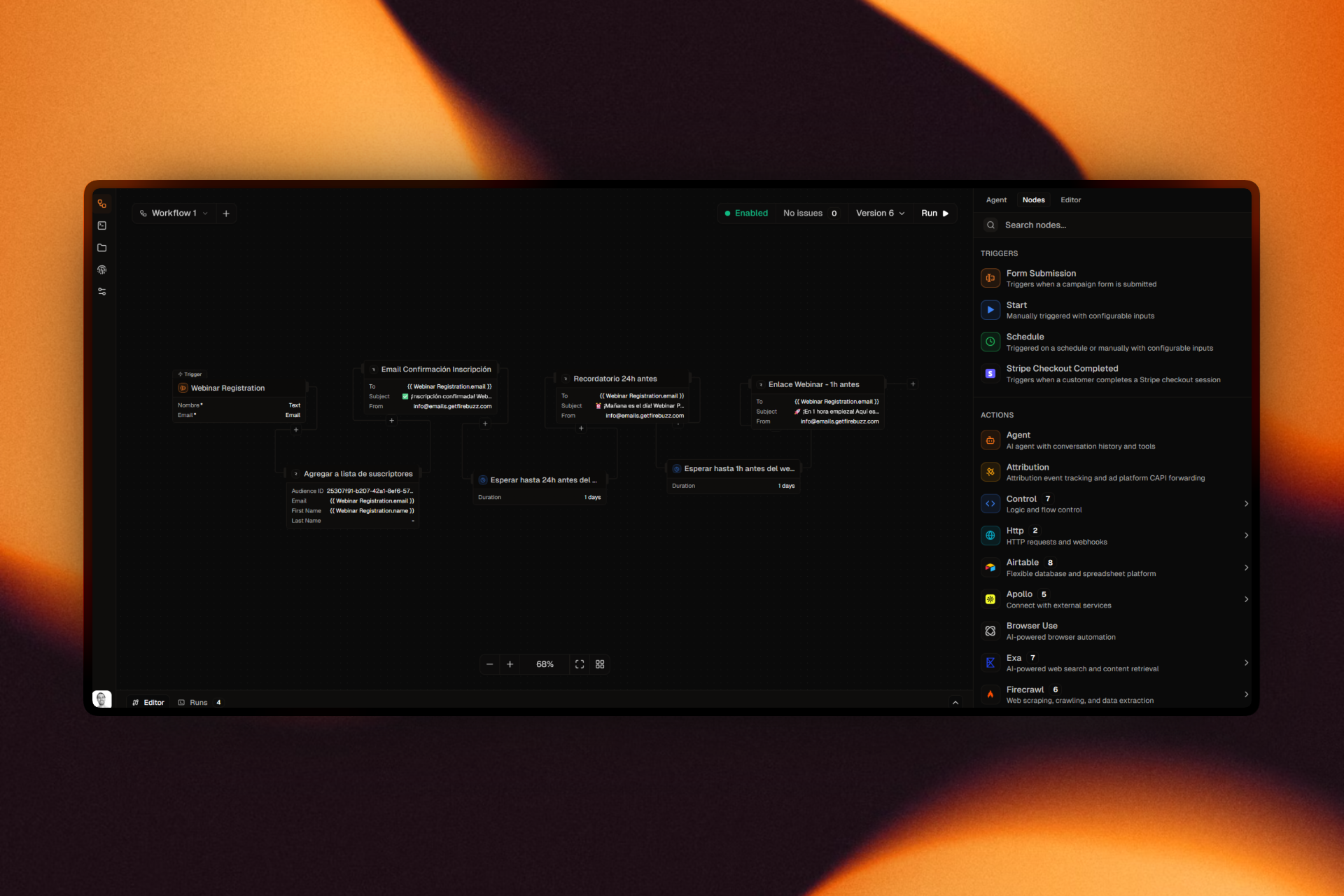
This release wave introduced a comprehensive workflow engine with visual canvas editing, trigger support, control-flow actions, and broad action coverage across built-in and third-party integrations. Teams can now design and operate multi-step automations directly inside Firebuzz instead of stitching tools together externally.

Workflow versioning, validation, and execution tracking were expanded in parallel, making automation safer to evolve over time.

Where to find it

  • Workflow builder: Campaign -> Workflows (/campaigns/[id]/workflows)
  • Email canvas: Campaign -> Emails (/campaigns/[id]/emails)
  • Run visibility: workflow run views are available from the workflow UI panels

Email Building and Versioning Inside Campaign Operations

Email became a first-class asset type with its own canvas, version flow, publish lifecycle, and test-send support. This closed the gap between landing page and email execution by giving both channels a consistent editing and release model.

By combining campaign context with email authoring and AI-assisted editing, teams can move faster on full-funnel campaign delivery.

Faster Authoring with SmartCodeEditor and Variable UX

Late-January releases focused on speed and precision for advanced builders. SmartCodeEditor received multiple rounds of performance and usability upgrades, variable picking and expression editing became smoother, and workflow UI ergonomics improved for day-to-day automation work.

Model selection also evolved with additional model support and cleaner selector behavior, helping teams choose the right intelligence level per task.

Why users will feel this immediately

  • Fewer tool hops: workflow logic, asset editing, and publishing lifecycle now live in the same product flow.
  • Safer iteration: version-aware workflow and email editing reduces fear of breaking live systems.
  • Faster advanced setup: SmartCodeEditor and variable UX reduce friction in logic-heavy automations.

What this unlocks

Teams can now build, version, and operate landing pages, email flows, and workflow logic in one system with fewer handoffs and less context switching.

Highlights

  • End-to-end workflow automation system with visual builder and trigger-driven execution.
  • Expanded action ecosystem and integration-driven automation patterns.
  • Native email canvas and versioning aligned with campaign publishing workflows.
  • Workflow and campaign version tracking improvements for safer release management.
  • SmartCodeEditor and variable tooling enhancements for faster advanced editing.
  • Additional AI model support and model selection streamlining.
December 26, 2025
v1.2.0

Growth Foundations: Domains, Experimentation, and Smarter AI

We strengthened the core growth stack with root domain support, better A/B test lifecycle controls, resilient preview workflows, and smarter model routing.

Growth Foundations: Domains, Experimentation, and Smarter AI

Firebuzz's December release wave focused on the foundations that growth teams rely on every day: domain control, reliable experimentation, and AI behavior you can trust in production workflows.

Root Domains and Faster Publish Workflows

Campaign teams can now use root domains more flexibly, including better redirect behavior and safer defaults when no campaign route is configured. We also introduced static preview URL support for published previews during sandbox sessions, making QA and stakeholder reviews more stable.

In the same wave, ephemeral sandbox builds became more resilient with automatic AI-assisted recovery flows when build errors occur, reducing manual interruption during rapid iterations.

Where to find it

  • Domains: Brand -> Domains (/brand/domains)
  • Domain setup: open a row action in the Domains table to configure DNS and root redirect behavior
  • A/B test reporting: Campaign -> Analytics -> A/B Test (/campaigns/[id]/analytics)

A/B Testing That Holds Up in Production

This release significantly improved the A/B testing lifecycle across persistence, completion, and analytics consistency. Variant assignment now persists more reliably across reloads, winner promotion behavior is more dependable, and completed/paused experiments are easier to manage while preserving historical insight.

These updates make running experiments at higher volume much more practical without sacrificing trust in the data.

What this changes for your weekly workflow

  • You spend less time debugging domain routing and preview links before launch.
  • You can trust A/B variant continuity better across refreshes and test completion states.
  • You get clearer model/fallback visibility when reviewing AI cost and behavior.

Smarter AI Model Routing and Product Knowledge

We upgraded MiniMax support from M2 to M2.1 and improved fallback tracking so teams can see and price the actual model used by the gateway in real scenarios. That gives clearer visibility into model behavior and cost across generation flows.

We also expanded product-facing knowledge assets through Help Center and content updates, giving teams better in-product guidance as the platform scope grew.

What this unlocks

You can move from idea to experiment with fewer operational interruptions: cleaner domain handling, stronger test reliability, and more transparent AI execution across production paths.

Highlights

  • Root domain support and improved redirect/default-page behavior.
  • Static preview URLs for published preview access in sandbox sessions.
  • Auto-recovery flow for ephemeral build failures.
  • Major A/B test lifecycle improvements for persistence, winner handling, and analytics consistency.
  • MiniMax M2.1 upgrade with improved fallback model and cost tracking.
  • Expanded Help Center and product content for faster onboarding.
December 18, 2025
v1.1.0

The All-New Canvas and Visual Editor

We've completely reimagined how you build landing pages. Introducing the interactive Canvas, a pro-grade Code Editor, and Conversion Funnel Analytics.

The All-New Canvas and Visual Editor

A little over a month ago, we launched Firebuzz to simplify landing page generation for PPC marketers. Today, we’re taking a significant step forward in transforming the platform into a complete visual development environment. This update is built around precision, control, and deeper insights, giving you the professional tools needed to manage complex campaigns with absolute confidence.

Image showing the new Canvas and Visual Editor workflow

Interactive Canvas

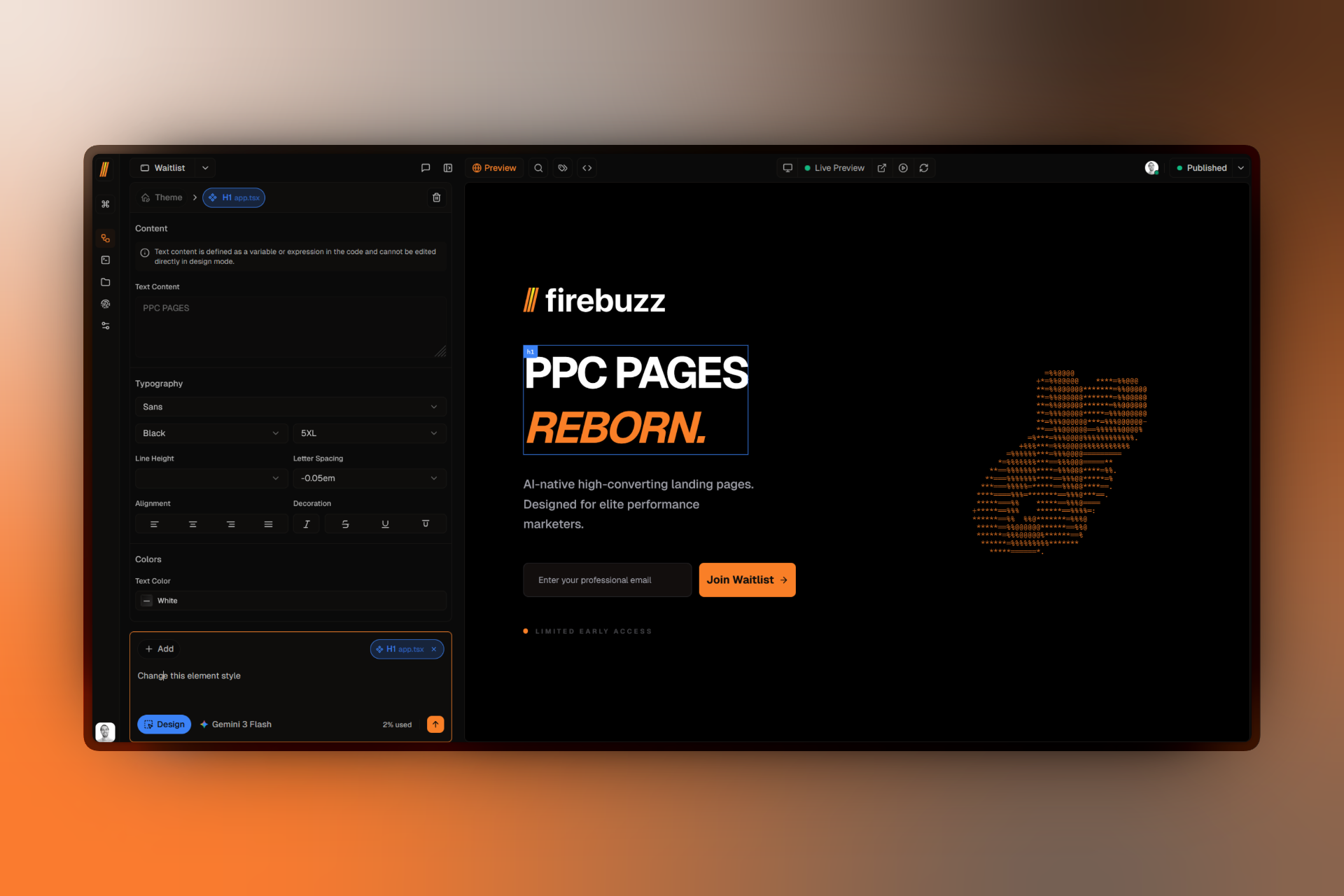
The centerpiece of this update is the all-new Canvas. We’ve moved away from rigid list-based management to a free-form workspace that feels as fluid as your favorite design tools. The Canvas allows you to visualize your entire campaign landscape at a glance, making it easy to compare variants and ensure brand consistency across your entire flow.

Image of the interactive Canvas with multiple page variants

  • Spatial Organization: Drag, drop, and group page nodes to map out your user's journey visually.
  • Hierarchical Navigation: The new sidebar tree provides a structured view of your champion page, its variants, and localized versions.
  • Live Previews: Every node on the canvas is a live, scrollable preview, allowing you to check responsiveness and design details without opening separate tabs.

Pro-grade Code Editor

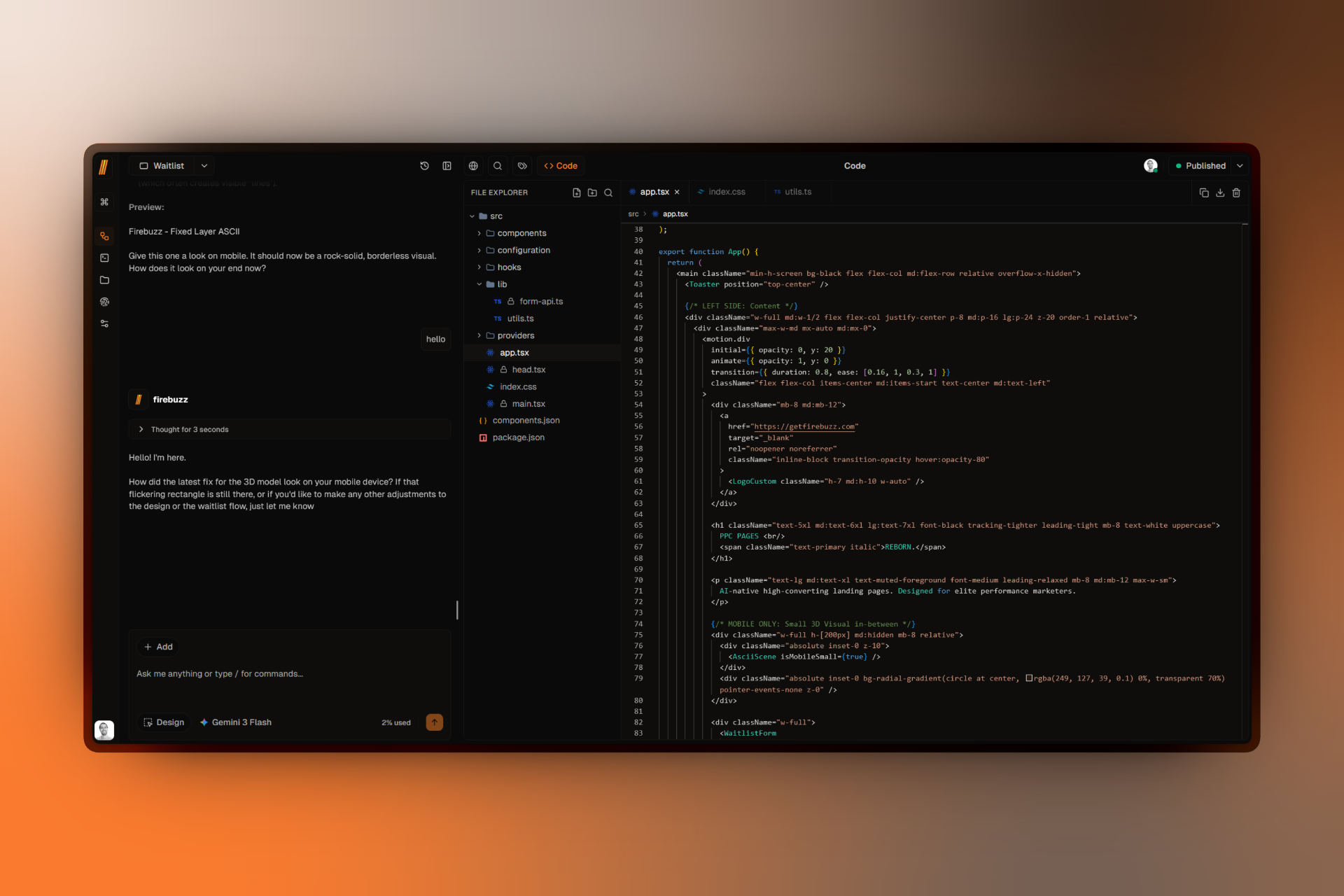
For developers and advanced creators who want to go beyond AI-generated structures, we've integrated a full-featured code editor powered by Monaco—the same engine that drives VS Code. This isn't just a text box; it's a professional development environment built directly into your browser.

Image of the Pro-grade Code Editor with live preview

  • Full File System: Create, rename, and organize your HTML, CSS, and JS files in a proper project tree.
  • Tailwind Native: The editor includes deep support for Tailwind CSS, offering autocompletion and instant feedback as you style.
  • Git-Backed Reliability: Every keystroke is tracked. Changes are automatically saved and versioned via our internal Git server, enabling robust rollbacks and a complete history of your design evolution.

Conversion Funnels

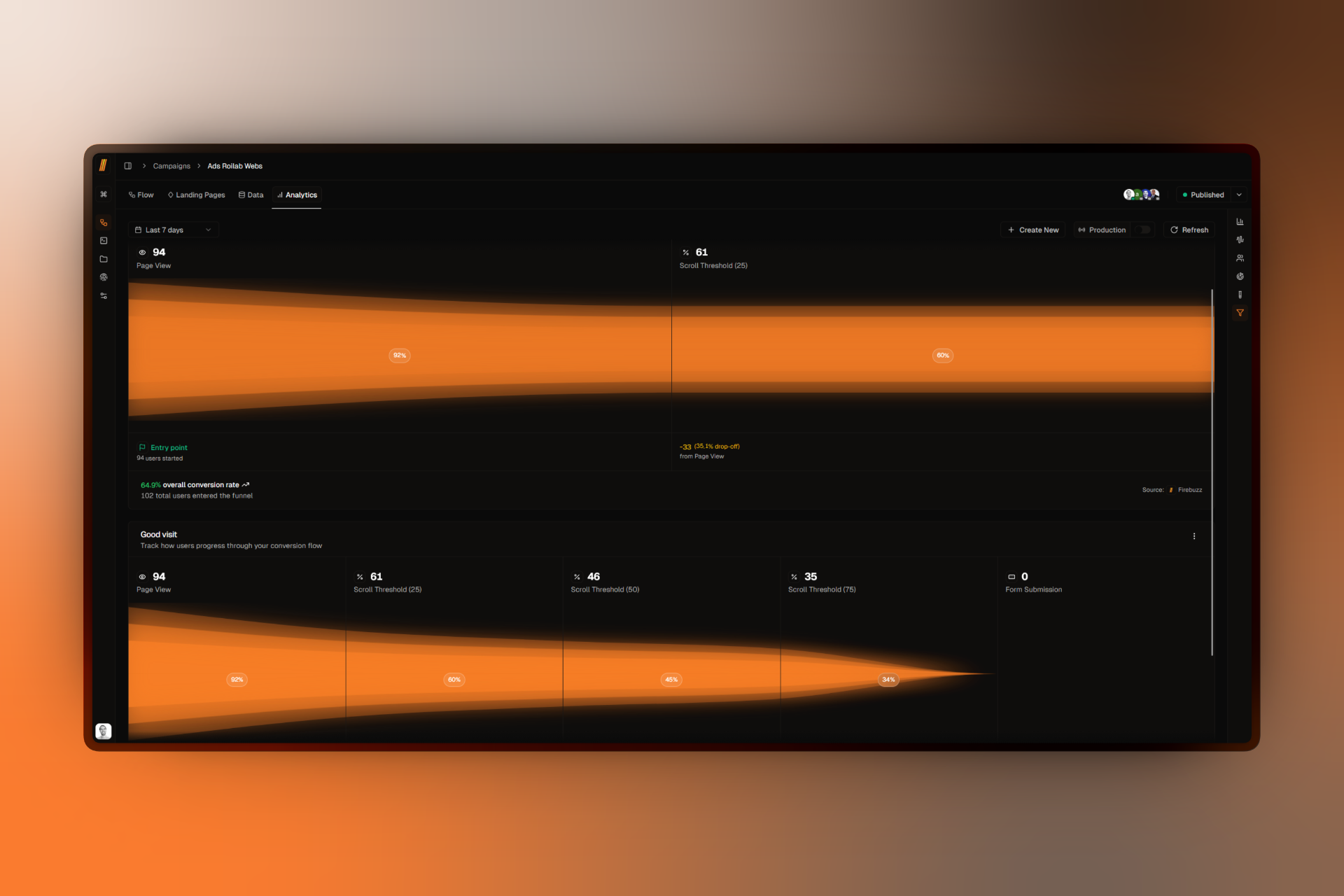
Understanding why users convert is just as important as knowing that they did. The new Funnels dashboard simplifies behavior analysis by allowing you to build visual paths that track exactly how visitors move through your campaign.

Image of the Conversion Funnels dashboard

Instead of navigating through fragmented data tables, you can now see where users are dropping off in real-time. Map out custom paths from landing to thank-you pages, track specific event triggers like scroll depth or CTA clicks, and optimize your conversion rates based on clear, visual insights.

Map out custom user journeys, identify where users are dropping off, and track specific events like button clicks or scroll depth with zero configuration.


Improvements & Fixes

  • AI: Upgraded default model to Gemini 3 Flash for significantly faster generation speeds.
  • AI: Added support for Claude 4.5 for complex reasoning and layout tasks.
  • Design: Migrated templates to Tailwind CSS v4 for modern color handling (OKLCH) and improved performance.
  • Design: Added 20+ new animated backgrounds, including Aurora, Beams, and Hyperspeed.
  • Performance: Improved preview loading speeds via a new background streaming engine.
  • Security: Built-in GDPR-compliant consent management for all tracking events.
  • Reliability: Integrated git-based versioning for robust rollbacks and history.
  • UI: Added device presets for iPhone 16 and other modern mobile devices in preview mode.

Log in to experience the new Canvas →

November 11, 2025
v1.0.0

Meet Firebuzz: The future of landing pages

Introducing Firebuzz, an AI-native platform designed to help PPC marketers build, translate, and optimize professional landing pages at scale—without designers or developers.

Meet Firebuzz: The future of landing pages

Building landing pages as a marketer has always been a cycle of bottlenecks: brief designers, wait for mockups, request changes, and then wait for developers to ship. We built Firebuzz to break that cycle once and for all. It’s the first AI-native platform designed specifically for the needs of performance marketers, allowing you to move from campaign brief to live URL in minutes, not weeks.

Image showing AI landing page generation

Prompt-to-Page Generation

At the heart of Firebuzz is an AI engine that treats your ideas as the primary source of truth. Unlike template-based builders, Firebuzz understands the context of your product, your target audience, and your conversion goals. Simply describe what you need, and the AI generates a professional, high-converting landing page structure complete with curated copy and optimized layouts.

Image of the AI chat interface building a page

  • Contextual Awareness: The AI suggests headlines, benefits, and CTAs based on your specific industry and audience segments.
  • Conversational Editing: Don’t like a specific section? Just tell the AI to "make the hero more aggressive" or "add a testimonial section for social proof."
  • Brand Alignment: Feed the AI your brand guidelines, and it will ensure every generated page stays consistent with your visual identity.

Managing multiple URLs for different ad groups is a relic of the past. Firebuzz introduces the concept of Unified Campaigns—one single link that dynamically serves the most relevant content to every visitor. This allows you to scale your testing and personalization efforts without the administrative overhead of managing hundreds of individual pages.

Image showing mobile and desktop variant previews side-by-side

  • Smart Routing: Our engine automatically detects the visitor's device, location, and language to serve the perfect variant instantly.
  • Effortless A/B Testing: Spin up new variants for testing in seconds and let Firebuzz handle the traffic distribution.
  • Dynamic Personalization: Show different value propositions to mobile users versus desktop users, all from a single campaign dashboard.

Global by Default

Expanding into new markets shouldn't mean hiring expensive translation agencies or rebuilding your tech stack. Localization is built directly into the Firebuzz workflow, allowing you to reach a global audience with zero friction.

Image showing the AI translation workflow

  • AI-Powered Translation: Instantly translate your entire campaign into 30+ languages while preserving your layout and design integrity.
  • Automatic Localization: Visitors are automatically served the correct language version based on their browser settings or geographic location.
  • Centralized Management: Edit your English champion page and have those updates reflected across all your localized variants automatically.

Features & Capabilities

  • AI-Native Editing: Describe changes in natural language to update copy, layout, or styling.
  • Smart Routing: Serve specific variants based on device, country, or custom targeting rules.
  • Mobile First: All pages are automatically optimized for mobile performance and accessibility.
  • Instant Translation: AI-powered localization for 30+ languages.
  • Unified Dashboard: Manage all your PPC assets and analytics in one place.
  • Custom Domains: Connect your own domains with automated SSL management.

Get started for free →